|

This is where the bug makes its first appearance! Congratulations - you've exposed another one of those nasty little bugs!
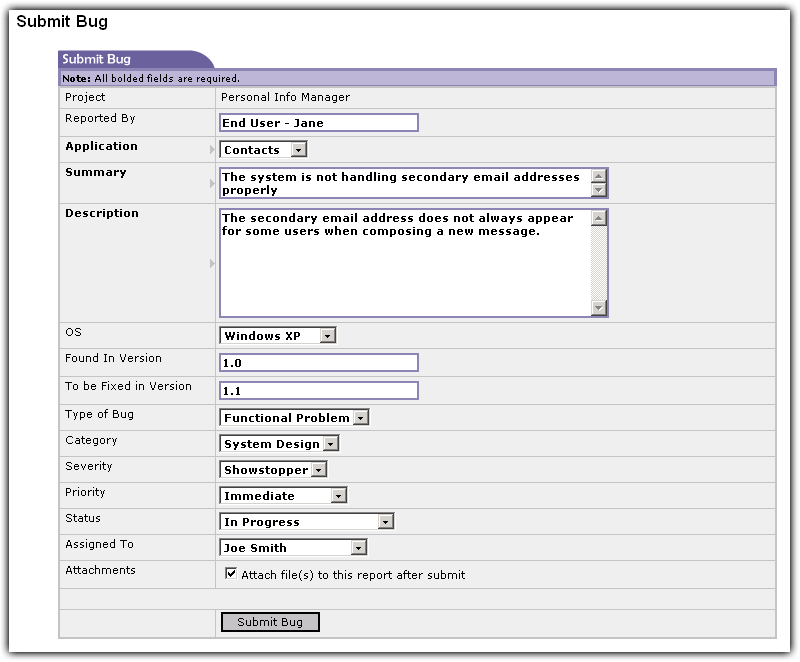
Depending on how you set up the project, you may see different fields in this form. You can force fields to be required or allow the user to determine what to put in. Some developers like to submit bugs as reminders for themselves, so making every field required isn't always a good idea. You should, however, make a few fields required, such as Application, Summary, and Description.
Submit Bug Screen. Click image to enlarge.
|
Simply fill out the form with all the fields that pertain to this bug. Certain fields are automatically recorded, such as the submit date, submitted by and bug number. The bug number will stay with the bug for the duration so that you may quickly refer back to it at any time.
|


|