|

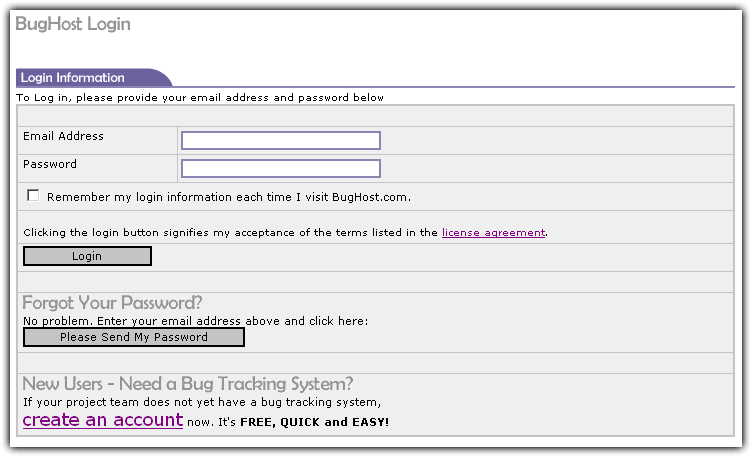
Once your account is created, you will need to log in to the system. When you log in, you are routed to your default project. Your default project is the project that will appear every time you log in. You can easily switch betwen projects, but only one will be active at a time.
If you have never logged in before, you will have to wait until you receive your random password from the BugHost system. If you did not receive your password, you may have entered your email address incorrectly.
Login Screen. Click image to enlarge.
|
Email Address
Enter the email address that you or your administrator created your account with.
Password
Use the password that was sent to you via email. Once you login for the first time, you can change the password under My Preferences. If you forgot your password, you can have it sent to you again via email. Just fill out your email address and click the button to send it.
|
|