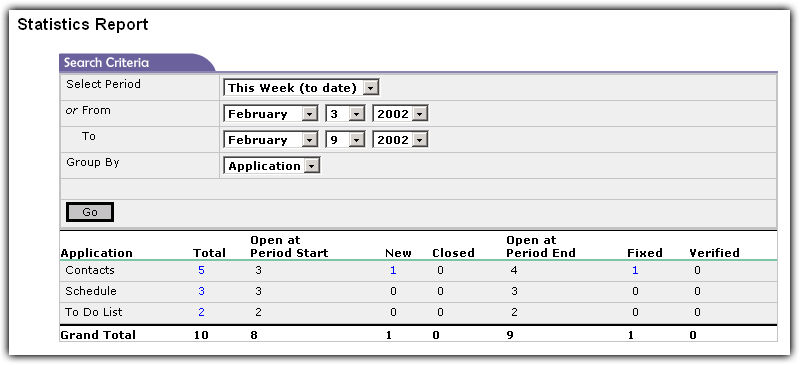
Statistics Report. Click image to enlarge.
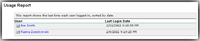
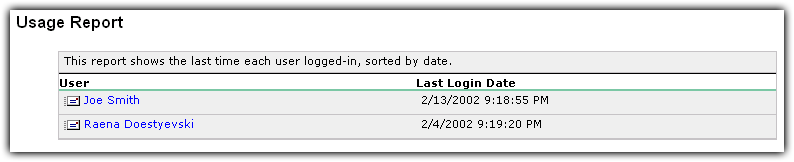
Usage Report. Click image to enlarge.
|
Administrative Reports
Administrative reports are only available to system administrators. These reports allow admins to get detailed
and statistical information about bugs over any period of time. Each report offers information about the total number of bugs,
open at the period start, how many new bugs, closed bugs, how many remaining open at the period end, the number fixed and verified.
These reports include:
  Application Application
Priority
Severity
Bug Type
Status
Submitted By Me
Other administrative reports have statistical information per user and how often each user logs in to the system.
You can click on any of the numbers displayed in the report to quickly see which bugs are being reported. This
will open up a report page that looks like the standard reports, but with certain filters applied to limit the results
to the statistics report.
|
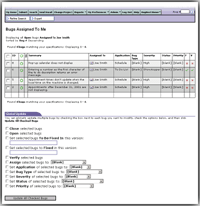
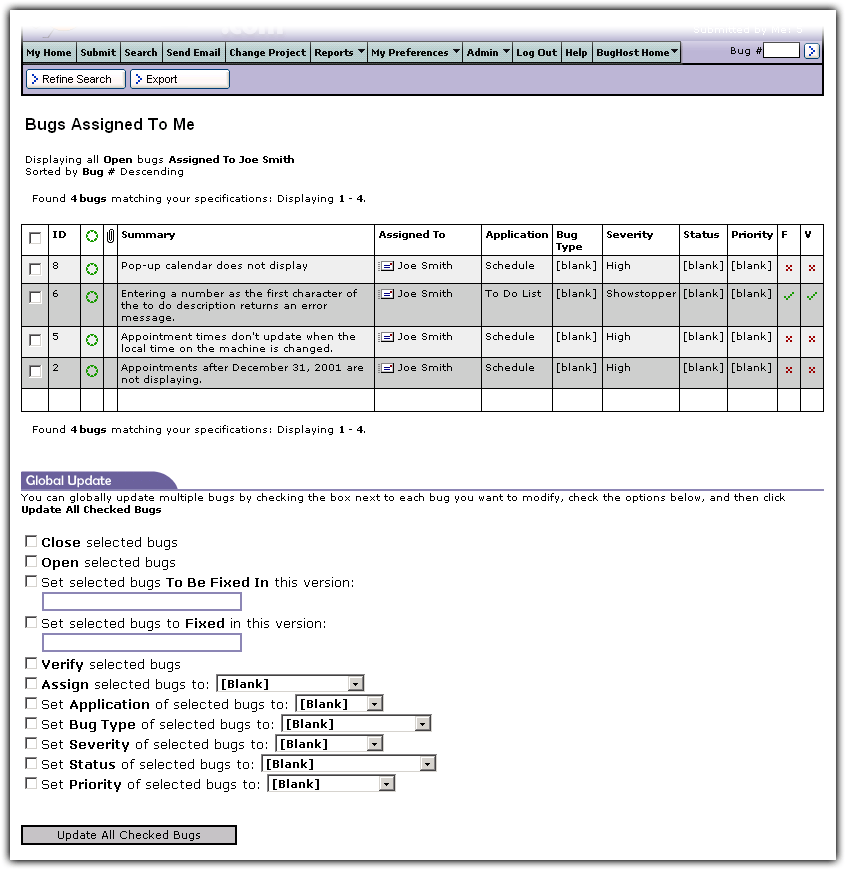
Standard Report. Click image to enlarge.
|
Standard Reports
Standard reports are available to all users of the system and display bug detail according to each
user's security settings. These reports include:
Assigned To Me
Submitted By Me
Fixed, Not Verified
All Open Bugs
All Bugs
Global Update
Each report has a section at the bottom to allow users to update bugs globally. Check each bug to be updated,
set the properties, and click Update All Checked Bugs to modify each one without opening each one individually.
|